What Is the Best SCADA Software for Industrial Plants in 2026?

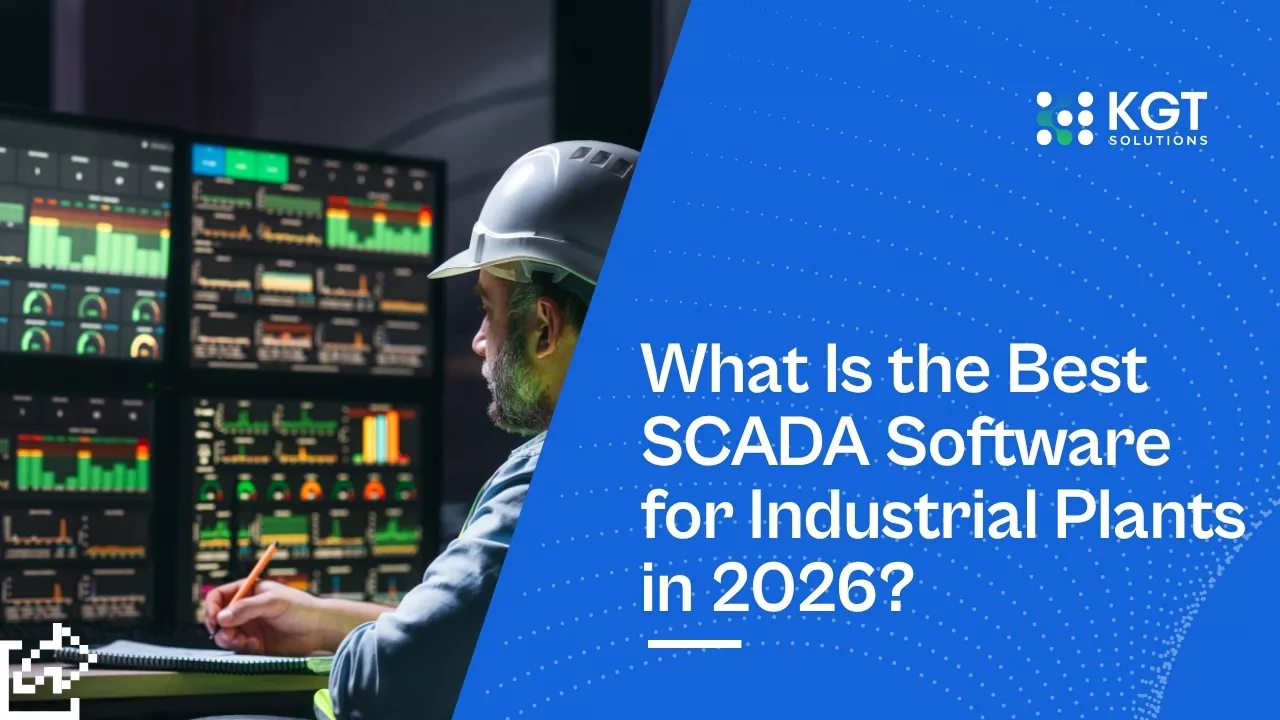
The best SCADA software fits your plant's protocols, scales with your I/O count, and connects to your historian without a forklift upgrade.
Key Takeaways
The best SCADA software depends on plant size, existing PLCs, and protocol mix, not on a single "winner." Ignition, Wonderware, and FactoryTalk lead different segments. The global SCADA market reached $14.3 billion in 2024 and is growing near 7% a year, per Mordor Intelligence.
Licensing model matters more than feature lists. Unlimited-tag pricing (Ignition) versus per-tag pricing can swing a mid-size project cost by six figures.
A SCADA upgrade pays back through fewer unplanned stops. Plants using real-time SCADA monitoring cut unplanned downtime 20-30%, and downtime costs heavy industry an average of $260,000 per hour, per Aberdeen research.
Why Picking SCADA Software Feels Harder Than It Should
SCADA selection stalls because vendors sell feature lists, not fit, and plant teams can't test how a platform handles their real protocol mix.
You have a 15-year-old PLC fleet, three protocols on the floor, and a historian nobody wants to rip out. Every vendor demo looks great. None of them tells you what breaks when you connect their HMI to your actual hardware. That gap is where projects go sideways.
The honest truth: there's no single best SCADA software. There's the right fit for your plant. A water utility with remote sites needs different features than a packaging line running at 200 units a minute. This guide compares the real contenders so you can match a platform to your floor.
What Does SCADA Software Actually Do?
SCADA software collects data from PLCs and sensors, shows it on HMI screens, logs it to a historian, and alarms operators when something drifts.
SCADA stands for Supervisory Control and Data Acquisition. Strip away the jargon and it does four jobs:
Acquire: Pulls live data from PLCs, RTUs, and IoT sensors across the plant floor.
Visualize: Renders that data as HMI dashboards operators watch in the control room.
Store: Writes time-series data to a SCADA historian for trending and compliance.
Alarm: Flags out-of-range conditions so operators act before a fault becomes a failure.
Good SCADA software ties straight into your OEE tracking and plant metrics, turning raw tag data into decisions. The platform you pick decides how easily that data flows to the rest of your operation.

Best SCADA Software Compared for 2026
| Platform | Best For | Licensing | Standout Strength |
|---|---|---|---|
| Ignition | Mixed fleets, scaling plants | Unlimited tags, per-server | Web-based, protocol-agnostic |
| FactoryTalk | Allen-Bradley PLC shops | Per-display, per-tag | Tight Rockwell integration |
| Wonderware / AVEVA | Large process plants | Per-tag tiers | Mature historian, deep ecosystem |
| Ignition Edge | Remote sites, OEMs | Low per-device | Lightweight, edge deployment |
| WinCC (Siemens) | Siemens S7 plants | Per-tag (PowerTags) | Native Siemens hardware fit |

The best SCADA software for most plants is Ignition for flexibility, FactoryTalk for Rockwell shops, and Wonderware for large process facilities.
Here's how the top SCADA platforms compare across what plant managers actually weigh:
Platform | Best For | Licensing | Standout Strength |
|---|---|---|---|
Ignition (Inductive) | Mixed fleets, scaling plants | Unlimited tags, per-server | Web-based, protocol-agnostic |
FactoryTalk (Rockwell) | Allen-Bradley PLC shops | Per-display, per-tag | Tight Rockwell integration |
Wonderware / AVEVA | Large process plants | Per-tag tiers | Mature historian, deep ecosystem |
Ignition Edge | Remote sites, OEMs | Low per-device | Lightweight, edge deployment |
WinCC (Siemens) | Siemens S7 plants | Per-tag (PowerTags) | Native Siemens hardware fit |
No single row wins every plant. A Rockwell-heavy automotive line leans FactoryTalk. A multi-site utility with tight budgets leans Ignition for its unlimited-tag model. Match the platform to your existing hardware first, features second.
How to Choose the Right SCADA Platform
Choose SCADA software by auditing your protocols, counting your tags, checking historian compatibility, then running a real pilot on live hardware.
Follow this order and you avoid the most expensive mistakes:
Audit your protocols. List every protocol on your floor: Modbus, OPC UA, EtherNet/IP, Profinet. The platform must speak all of them natively.
Count your tags. Per-tag licensing punishes large I/O counts. If you run 50,000+ tags, unlimited-tag pricing often wins on total cost.
Check historian fit. Confirm the SCADA historian integrates with your existing data store, or budget for migration.
Test HMI usability. Have real operators run the HMI software during the pilot. If they fight the screens, adoption fails.
Pilot on live hardware. Never buy off a demo. Connect the platform to a real PLC and one real line before you commit.
The pilot step is where teams catch the issues vendors gloss over. One plant found a "supported" protocol added 400ms of latency per poll, enough to break their batch timing. They caught it in week two of a pilot instead of month six of a rollout.
IT OT Convergence in Manufacturing Explained
What a SCADA Upgrade Costs and Returns
A SCADA modernization runs $50,000 to $500,000 depending on plant size, but pays back fast by cutting unplanned downtime 20-30%.
The numbers that matter for your capex case:
Software licensing: $10,000 to $150,000+, driven by tag count and licensing model.
Integration and commissioning: Often 1.5x to 2x the software cost for mid-size plants.
Payback window: Most modernizations pay back in 12-24 months through downtime reduction.
Downtime is the lever. At an average of $260,000 per hour for heavy industry, cutting even a few unplanned stops a month covers the project. This is the same math behind any industrial automation buyer's decision, and SCADA sits at the center of it. Pair modern SCADA with predictive maintenance software and the downtime savings compound.
Frequently Asked Questions
What is SCADA software and why do industrial plants need it?
How much does SCADA software cost for an industrial plant?
What features should plant managers prioritize when choosing SCADA software?
Can modern SCADA software integrate with AI and predictive analytics?
How long does it take to implement SCADA software in an existing plant?
Conclusion
Start by auditing your floor's protocols and tag count this week, then shortlist two platforms and pilot both on one live line before you commit budget. The right SCADA software is the one that fits your plant, not the one with the longest feature list.
Sources:
Mordor Intelligence - SCADA Market Size and Share Analysis 2024
Aberdeen Strategy & Research - Stat of the Week: Cost of Downtime
Inductive Automation - Ignition SCADA Platform Documentation
AVEVA - Wonderware System Platform Overview
Rockwell Automation - FactoryTalk View SCADA
Industrial Autonomous Floor
Newsletter
Actionable insights on industrial AI, automation, and smart operations built for safe, secure, and compliant real-world environments.